How to Choose the Best Hosting for a Full-Stack Website (2026 Guide + Checklist)
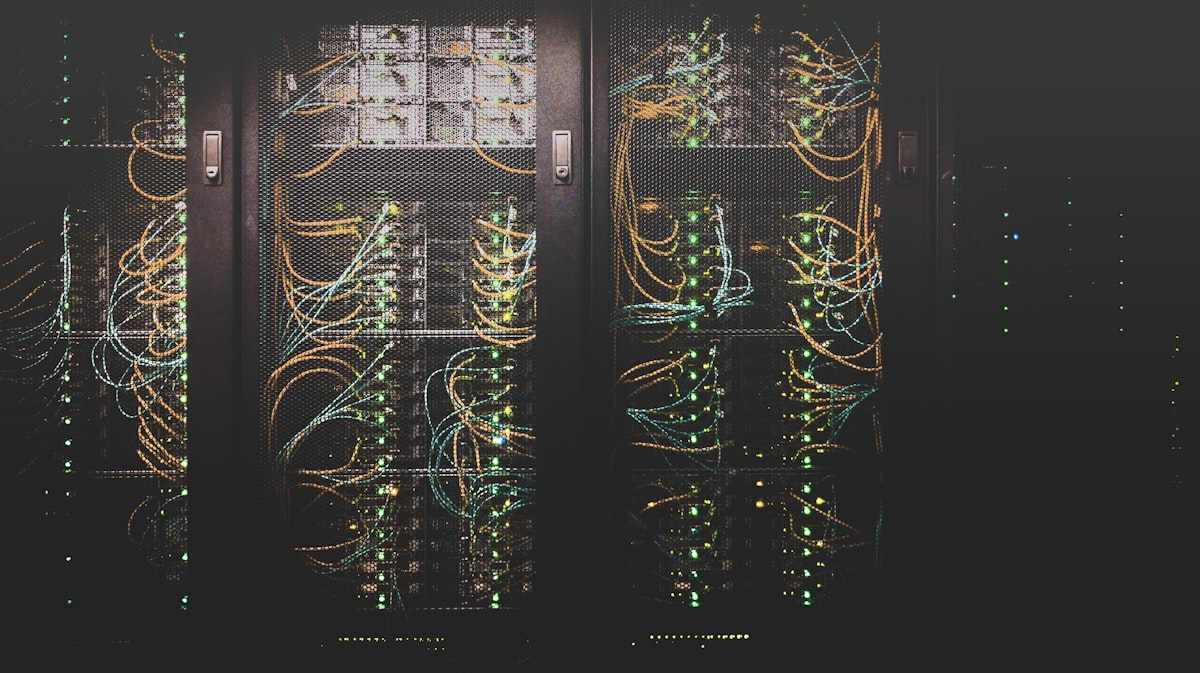
Your hosting choice is one of the most important—and most overlooked—decisions when launching a full-stack web application. Pick wrong and you'll battle slow load times, mysterious downtime, painful deployments, and bills that balloon without warning. Pick right and your stack hums along while you focus on building features.
This guide walks through every factor that matters, with a plain-English checklist you can use today.
1. Understand What Full-Stack Hosting Actually Requires
A static HTML page and a full-stack app are completely different hosting challenges. A full-stack site typically needs:
- A runtime environment — Node.js, Python, PHP, Ruby, Go, or Java
- A database — PostgreSQL, MySQL, MongoDB, Redis, or similar
- A web server or process manager — Nginx, Gunicorn, PM2, Caddy
- Environment variable management — for API keys, secrets, and config
- Persistent file storage — for uploads, media, or generated assets
- Background workers or queues — if you run Celery, Bull, Sidekiq, etc.
- WebSocket support — if your app uses real-time features
Most budget shared hosts handle none of these well. Know your stack before you shop.
2. The Five Hosting Categories
Shared Hosting
Best for: WordPress blogs, simple PHP sites
Avoid if: You need a custom runtime, database access, or process management
Cheap ($3–$10/mo) but severely limited. You share CPU and memory with hundreds of other sites. Almost never suitable for real full-stack apps.
Platform-as-a-Service (PaaS)
Examples: Heroku, Render, Railway, Fly.io, Google App Engine
Best for: Developers who want zero server management
You push code; the platform handles everything else — runtime, scaling, SSL, deploys. Great developer experience, but costs rise fast at scale and you have less control over infrastructure.
Virtual Private Server (VPS)
Examples: DigitalOcean Droplets, Linode/Akamai, Vultr, Hetzner
Best for: Developers comfortable with Linux who want full control
You get a dedicated slice of a server — your own CPU, RAM, and disk. Best price-to-performance ratio for production apps. This is what TechShield MSP recommends for most business clients.
Managed Cloud Hosting
Examples: Kinsta, WP Engine, Cloudways, Nexcess
Best for: Teams that want VPS power without sysadmin work
A managed provider handles OS updates, security patches, backups, and performance tuning. More expensive, but the time savings often justify the cost for small businesses.
Infrastructure-as-a-Service (IaaS)
Examples: AWS EC2, Azure VMs, Google Compute Engine
Best for: Enterprise scale, hybrid cloud, or complex multi-service architectures
Maximum flexibility and scale, but significant complexity and cost. Usually overkill for most small-to-midsize apps unless you already live in the cloud ecosystem.
3. The 12 Questions to Ask Any Hosting Provider
Performance & Reliability
- What is the guaranteed uptime SLA? — Look for 99.9% or higher (≤8.7 hours downtime/year). Get it in writing.
- Where are the data centers? — Choose a region close to your users. Latency adds up.
- What type of storage is used? — NVMe SSD > SATA SSD > spinning HDD. Disk speed directly impacts database query time.
- Is CPU and RAM burstable or guaranteed? — "Burstable" means you get throttled under sustained load.
Stack Compatibility
- What runtimes and versions are supported? — Python 3.12, Node 20, PHP 8.3? Confirm exact versions match your app.
- What databases are available? — Is PostgreSQL first-class, or bolted on? Managed DB add-on or self-managed?
- Can I run background workers and cron jobs? — Essential for task queues, email sending, and scheduled jobs.
- Is outbound networking unrestricted? — Some cheap hosts block SMTP, WebSocket upgrades, or external API calls.
Operations & DevOps
- How do I deploy? — Git push, Docker, CI/CD integration? Manual SFTP is a red flag.
- Is SSL/TLS automatic? — Let's Encrypt auto-renewal should be standard. If not, walk away.
- What does the backup strategy look like? — Daily automated backups with at least 7-day retention.
- What does support look like? — 24/7 live chat, ticketing, phone? Average response time for critical issues?
4. Security Essentials You Cannot Skip
Hosting security is a shared responsibility. Make sure your chosen host offers or supports:
- ✅ DDoS protection — ideally at the network level (Cloudflare, provider-native)
- ✅ Firewall management — UFW, iptables, or a cloud security group
- ✅ SSH key authentication — password SSH login should be disabled
- ✅ Automated OS patching — unpatched servers are the #1 cause of breaches
- ✅ WAF (Web Application Firewall) — especially important for e-commerce or healthcare
- ✅ Intrusion detection / log monitoring — Fail2ban, CrowdSec, or a managed SIEM
If you handle customer data, payments, or health information, HIPAA or PCI compliance requirements may dictate which hosts you can legally use. Talk to a TechShield specialist if you're unsure.
5. Cost: What You Should Actually Be Paying
Here is a realistic pricing guide as of 2025–2026:
| Tier | Monthly Cost | Best For | Watch Out For |
|---|---|---|---|
| Shared | $3–$15 | Simple brochure sites | No process manager, shared resources |
| PaaS (Starter) | $7–$25 | Side projects, MVPs | Sleep/cold start on free tiers |
| VPS (entry) | $6–$20 | Production apps, APIs | You manage security and updates |
| Managed VPS | $30–$100 | Growing businesses | Higher cost, less flexibility |
| Cloud IaaS | $50–$500+ | Scale-out architectures | Egress fees, complex billing |
Hidden costs to watch: bandwidth overages, database storage, CDN fees, SSL certificates (should be free), email sending (SMTP relay), and backup storage.
6. The Full-Stack Hosting Checklist
Use this before signing up for any hosting plan. Check every box — or know exactly which compromises you are making.
🔧 Technical Requirements
- ☐ Supports my exact runtime and version (Python 3.12 / Node 20 / PHP 8.3 / etc.)
- ☐ Supports my database engine (PostgreSQL / MySQL / MongoDB)
- ☐ Allows persistent background worker processes
- ☐ Supports WebSockets / long-lived connections (if needed)
- ☐ Allows custom environment variables and secrets management
- ☐ Persistent file storage for uploads and media
- ☐ Outbound networking is unrestricted (SMTP, external APIs)
⚡ Performance
- ☐ NVMe or SSD storage confirmed
- ☐ Data center in my users region
- ☐ Dedicated (not burstable) CPU for production workloads
- ☐ CDN integration available (Cloudflare, Fastly, or native)
- ☐ Uptime SLA is 99.9% or better, in writing
🔒 Security
- ☐ Automatic SSL/TLS with Lets Encrypt or equivalent
- ☐ DDoS protection at network level
- ☐ Configurable firewall rules (UFW / security groups)
- ☐ SSH key-only authentication supported
- ☐ Automated OS security patching (or managed option)
- ☐ Meets compliance requirements (HIPAA / PCI / SOC2) if applicable
🚀 Deployment & DevOps
- ☐ Git-based or CI/CD deployment (not FTP/manual upload)
- ☐ Docker or container support (if using containers)
- ☐ Zero-downtime or rolling deploys available
- ☐ Environment promotion (staging to production) workflow
- ☐ Rollback capability on failed deploys
💾 Backups & Recovery
- ☐ Automated daily backups included (not a paid add-on)
- ☐ At least 7-day backup retention
- ☐ One-click or scripted restore tested and confirmed
- ☐ Off-site backup copies (different region or provider)
- ☐ Database-level point-in-time restore available
💬 Support & Operations
- ☐ 24/7 support via chat or ticket (not just a knowledge base)
- ☐ Sub-1-hour response time for critical issues confirmed
- ☐ Monitoring and alerting available (uptime checks, CPU/RAM alerts)
- ☐ Status page exists and is public
💰 Pricing & Contracts
- ☐ No surprise bandwidth or egress overage fees
- ☐ Backup storage cost is included or clearly priced
- ☐ Month-to-month billing available (no forced annual lock-in)
- ☐ Pricing is predictable — no contact-us required for basic plan details
7. TechShield's Recommended Stack for Small Business
After deploying dozens of small business web apps in Georgia and across the Southeast, here is what we recommend for most clients:
- Hosting: Hetzner CX22 or DigitalOcean Droplet (2 vCPU / 4 GB RAM) — best price-to-performance in 2026
- Web server: Nginx as reverse proxy in front of Gunicorn (Django/Python) or PM2 (Node)
- Database: PostgreSQL on the same VPS for small apps; managed DB (Neon, Supabase, or DO Managed Postgres) for anything needing high availability
- SSL: Certbot + Let's Encrypt, auto-renewed via cron
- CDN: Cloudflare free tier — adds DDoS protection, caching, and analytics at no cost
- Backups: Daily snapshots to Cloudflare R2 or Backblaze B2 ($0.006/GB/mo)
- Monitoring: UptimeRobot (free) + Grafana + Prometheus for resource metrics
This setup runs under $20/month for most small business apps and handles thousands of concurrent users with proper tuning.
Ready to Get Your App Properly Hosted?
Choosing and configuring hosting correctly is the kind of task that looks simple until something goes wrong at 2 AM. TechShield MSP handles server setup, deployment pipelines, SSL, backups, monitoring, and ongoing managed IT for businesses in Ball Ground, Canton, Woodstock, and across Georgia.